
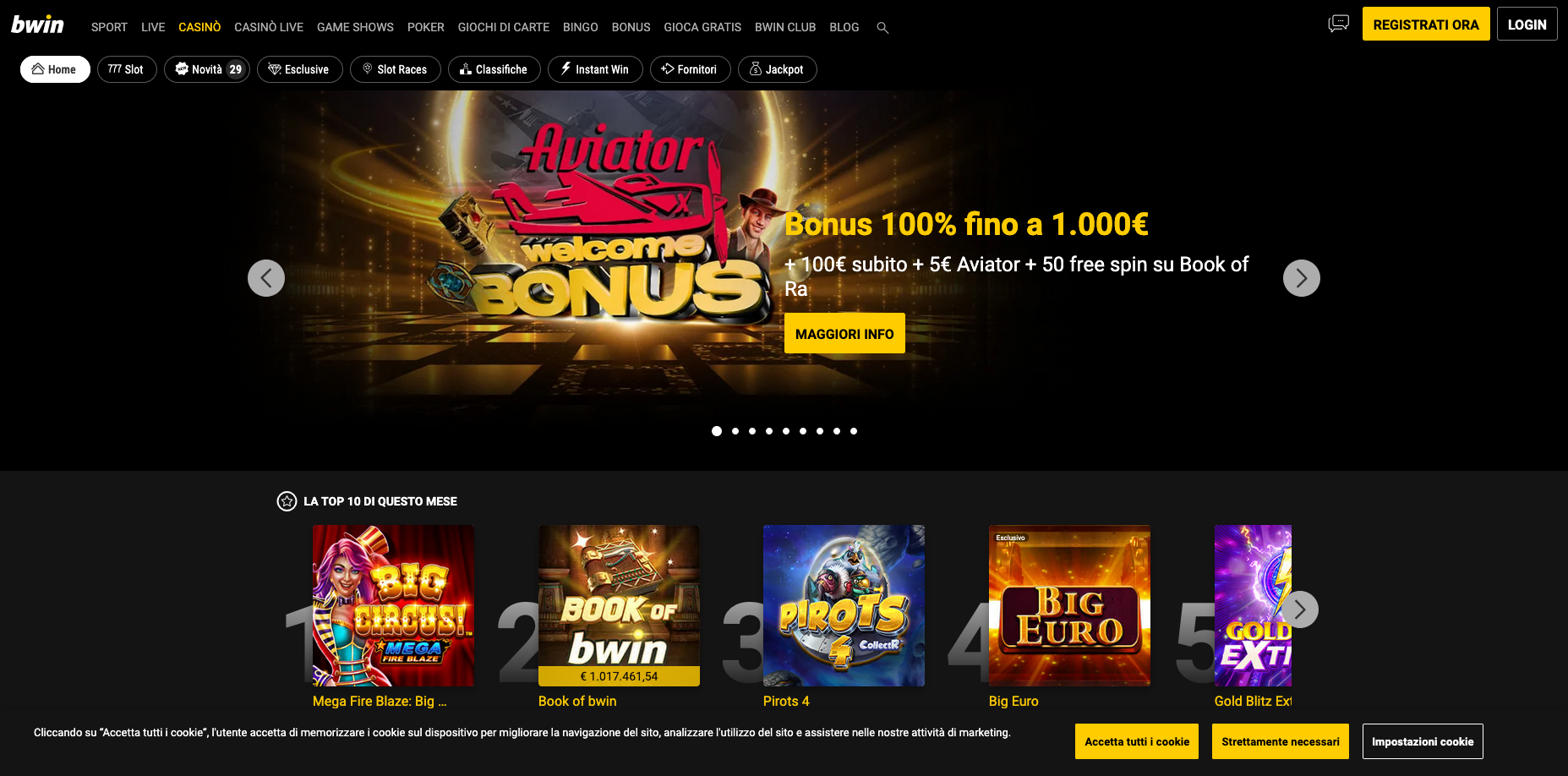
Instant play casino apps have changed how Argentine players get to online casino games from a mobile device. Rather than needing a separate download for each game, these apps load game content directly through a compact client installed on the phone. Bwin Casino offers an instant play approach through its dedicated mobile application, built for players in Argentina who desire reliable access to slots, table games, and live dealer sessions without being tied to a desktop computer. The term instant play points to how quickly a player can start after installation: the app takes care of updates and game loading in the background, so the experience feels immediate from the first tap. This article explains how the technology works, what devices are supported, how to install the app on Android and iOS, and what differences players in Argentina should look for compared to the desktop site.
The manner Instant Play Casino Apps Operate
An instant play casino app is a lightweight mobile client that connects to Bwin Casino’s server infrastructure as opposed to storing the full game library on the device. When a player launches a slot or table game, the app retrieves that game’s files on demand and runs them through an HTML5-based interface or a native wrapper. This design is important because it reduces the storage footprint of the app itself: instead of a single download sized in hundreds of megabytes, the initial installation typically keeps within a modest range, with individual games loading as needed. For Argentine players, this is particularly relevant on mid-range phones with limited internal storage, which continue to be common throughout the country. The connection to Bwin’s servers also means that game outcomes, account balances, and session history are kept synchronized with the player’s main account at all times. As long as the app remains updated to the latest version, the game library displays new releases without needing a manual reinstall. The trade-off is that a stable internet connection is vital, because most game content is retrieved in real time rather than stored locally. Bwin’s app deals with this through a caching system that keeps recently played games available for faster access on subsequent launches, which cuts repeat downloads over a session.
Core Features Inside the Bwin Casino App
When installed, the Bwin Casino app showcases a layout that highlights quick navigation over decorative complexity. The home screen usually groups the casino library by game type: slots, table games, video poker, and a dedicated live casino section. Argentine players who possess a Bwin account can sign in with the same credentials used on the website, and balances, bonuses, and transaction history sync immediately. The search and filter tools are useful at a mobile scale: a player can type a game title or narrow by provider, volatility, or feature type such as free spins or progressive jackpots. Live dealer games receive their own tab, with tables for roulette, blackjack, baccarat, and game-show-style titles, and the app supports landscape rotation and adjustable stream quality. Deposit and withdrawal functions are integrated into the account area, though payment method availability depends on Argentine banking and e-wallet options. Responsible gaming tools, including deposit limits and session reminders, are also reachable from the app menu. Push notifications, when enabled, alert players to new games and account updates without requiring the app to be open, and the overall design keeps the most-used actions within two or three taps.
Application vs. Desktop: Key Contrasts and When to Select Each
The Bwin Casino app and the desktop website employ the same account, game library, and payment infrastructure, but the experiences diverge in practical ways. The desktop site provides a broader view, with multiple windows, detailed game information, and a layout that can seem easier for researching promotions or reviewing terms before playing. The app prioritizes speed and thumb-friendly navigation, with a bottom or side menu that keeps key sections reachable in one hand while standing or moving around. Some older games that rely on Flash are no longer available on mobile, but virtually all modern Bwin titles are built in HTML5 and operate identically across platforms. A difference that matters to Argentine players is data consumption: the desktop site assumes an unmetered broadband connection, while the app includes caching and quality controls that make it more economical on mobile networks. Withdrawals and deposits are possible in both, but biometric login on the app, such as fingerprint or face recognition on supported devices, speeds up repeat sessions considerably. Players who divide their time between a laptop at home and a phone elsewhere will find no disadvantage to using both, because progress and balances update in real time across every surface.
Downloading and Installing on Android
Android players in Argentina will not always find the Bwin Casino app in the Google Play Store, since Google’s policies prohibit real-money gambling applications in many regions. Rather, the standard process involves downloading an APK file directly from Bwin’s official website. The first step requires opening the Bwin Argentina page in a mobile browser, navigate to the mobile app or casino section, and find the Android download link. Once the APK file finishes downloading, the phone must be set to allow installations from unknown sources; this toggle is located in the security or apps settings, and it may need to be enabled for the browser app specifically. After granting permission, the player selects the downloaded file and verifies the installation, after which the app icon appears on the home screen. Bwin’s APK is signed and versioned, so updates come through through in-app prompts rather than through the Play Store. Players should always download the APK from the official Bwin domain and not ever from third-party mirror sites, since modified APKs could compromise account security or reveal payment details. The entire process usually takes under five minutes on a stable connection, and the app won’t launch if the OS version is unsupported.
Getting and Setting Up on iOS
iOS installation follows a typical route because Apple’s App Store allows licensed gambling apps in Argentina, assuming the operator has the necessary approvals. The player accesses the App Store, finds Bwin Casino or the specific Bwin app name, and confirms the developer’s identity before downloading. Unlike Android, no permission toggles or sideloading steps are required; the app installs directly and shows up on the home screen. One practical point for Argentine users is that App Store availability can vary with the Apple ID’s country or region setting. If the app does not come up in search results, the Apple ID region may be adjusted to a country where Bwin does not function. Changing the region requires a valid payment method from that country and can be problematic, so players should first confirm that their Apple account is linked to Argentina. After installation, the app may seek permission to send notifications for promotions or account alerts; this is optional and can be controlled in the Settings app under Notifications at any time. Updates come through the App Store automatically or manually, and the official App Store listing is the only safe source for the iOS client.
Functionality, Data Consumption, and Streaming Demands
Efficiency on mobile hinges on three factors: network stability, device capability, and the type of game being played https://bwincasinos.eu/es-ar2/app2/. Slots and standard table games are low on data usage because their graphics are rendered locally after a small initial download; a typical session may use only a few megabytes beyond the first load. Live dealer games are the exception, since they stream high-definition video continuously. On a 4G or LTE connection in Argentina, a live blackjack table can consume between 300 MB and 1 GB per hour depending on the chosen stream quality, and players on limited data plans should select the lower-quality option or reserve live play for Wi-Fi. Latency is more important than raw bandwidth for most games, because a dropped connection during a spin or a bet can leave a round unresolved. The app handles this by pausing and attempting to reconnect, and in most cases the outcome is recorded on the server side regardless of the disconnect. Argentine players in areas with inconsistent coverage should consider downloading games over Wi-Fi before switching to mobile data, since the cache reduces redundant transfers. Background data usage can also be restricted through the phone’s settings if a player wants the app to update only on Wi-Fi.
Safety, Qualification, and Accountable Use
Safety in an no-download casino app hinges on two tiers: the integrity of the app itself and the measures on the player’s account. Bwin’s mobile client scrambles login sessions and financial data in transit, using the same protocols as the desktop site, but players should check they are fetching from the official source as outlined earlier. Qualification for real-money play in Argentina necessitates the player to be at least 18 years old, and Bwin may ask for identity verification before a first withdrawal, which is common practice across licensed operators. https://www.marca.com/co/2024/08/10/66b78c1de2704e818d8b4599.html The app supports two-factor authentication where available, introducing a step beyond the password for account access on a new device. Responsible gambling features are not hidden: deposit limits, loss limits, and self-exclusion options can be set directly from the mobile interface, and the app may present session time reminders for players who opt in. Argentine law on online gambling is changing by province, so players should verify that Bwin’s license covers their jurisdiction before depositing. No operator can assure winnings, and the calm approach is to view the app as a paid entertainment product with a budget determined before launching it. The most secure habit is to log off on shared devices and never keep credentials in an unsecured note or public cloud file.
Compatibility Requirements and System Requirements
System compatibility is the first practical consideration for any user in Argentina thinking about the Bwin Casino app. The application is developed for two systems: Android and iOS. On Android devices, the app generally demands a recent OS version, typically Android 8.0 or more recent, though the exact minimum is verified on Bwin’s official download page because area builds can vary. iOS users must have an iPhone or iPad running a current or one-generation-old version of iOS, which supports most units introduced in the past several years. Screen size is not a barrier; the app adapts to phones and tablets, though users with elder devices may notice longer load times when opening heavier live dealer tables. Storage needs are minimal because of the instant play structure outlined above, but gamers should maintain at least a few hundred megabytes open for cached game files and app updates. Processor speed and RAM count mainly for live dealer streams, which decode video in real time and can need more from entry-level phones. Before downloading, Argentine players should also confirm that their phone’s app store region permits the download, since access can change by jurisdiction. The most dependable way to confirm compatibility is to visit the official Bwin page for Argentina and check the listed requirements against the device’s settings menu.
FAQ
Can the Bwin Casino app free to download?
Correct, the Bwin Casino app is free to download on both Android and iOS. No fee applies for the installation or for opening an account. Expenses only emerge if a player voluntarily chooses to make a real-money deposit and bet. A few payment methods could include small processing fees, but the download itself carries no charge. Always download from the Bwin Argentina official page or the App Store to avoid fake paid versions that take advantage of confusion.
Can I use the same account across the app and desktop site?
Yes. The app links to the same account database as the Bwin desktop site. A player signs in with the same username or email and password, and the account balance, bonus status, transaction history, and game history appear immediately. Progress in promotions will also synchronize across both platforms automatically. No need exists to open a different account for mobile play, and doing that would breach most operators’ terms on duplicate accounts and could trigger a compliance review.
What can I do if the Android APK fails to install?
Prevented APK installations are commonly caused by an unknown-sources permission that has not been enabled for the browser or file manager used to open the file. Check the security settings and allow that specific app to install unknown applications. Also verify that the APK file is whole and undamaged by removing and re-downloading it from the official Bwin domain. If the phone uses an OS version beneath the stated minimum, the app will fail to install despite permissions.
Does the Bwin Casino app function on a tablet?
Yes, the app is designed to conform to larger screens. On an iPad or Android tablet, the interface resizes to use the extra space, commonly showing more game thumbnails per row and enlarging the live casino lobby for easier table selection. The identical account features and games are present as on a phone. Functionality on older tablets may be less responsive with live dealer streams, but standard slots and table games run without issue on the majority of devices introduced in the past four or five years.
How much mobile data does the app use?
Data consumption changes sharply by game type. Standard slots and RNG table games typically use only a few megabytes per session after the first load. Live dealer games stream video and can use between 300 MB and 1 GB per hour depending on quality. Players who want to conserve data should enable the lower stream quality in the live casino settings and play non-live games on mobile networks, reserving HD live tables for Wi-Fi. The app does not run undisclosed background downloads of game content when idle.
Does the Bwin Casino app permitted to use in Argentina?
Online gambling regulation in Argentina is handled at the provincial level rather than by a single national law. Bwin operates under licenses that cover specific jurisdictions, so availability and legality depend on the player’s province of residence. Before depositing, an Argentine player should check the official Bwin page for a list of permitted regions or contact support for confirmation. The app itself will not accept real-money play from a restricted jurisdiction, which functions as a basic compliance control rather than a warning.
Is it possible to set deposit limits from inside the app?
Indeed, responsible gambling tools are included in the app’s account menu. Players can set daily, weekly, or monthly deposit limits, as well as loss limits and session time reminders. Changes to lower limits typically take effect immediately, while increasing or removing a limit may have a cooling-off delay as part of safer gambling practice. Self-exclusion is also available from the same section, and it applies across the account on both mobile and desktop without a separate request.
